Can You Build Your Website With AI? An Honest Take
Can AI build your business website? An honest assessment: excellent for quick tests, risky for security, compliance, and operations.
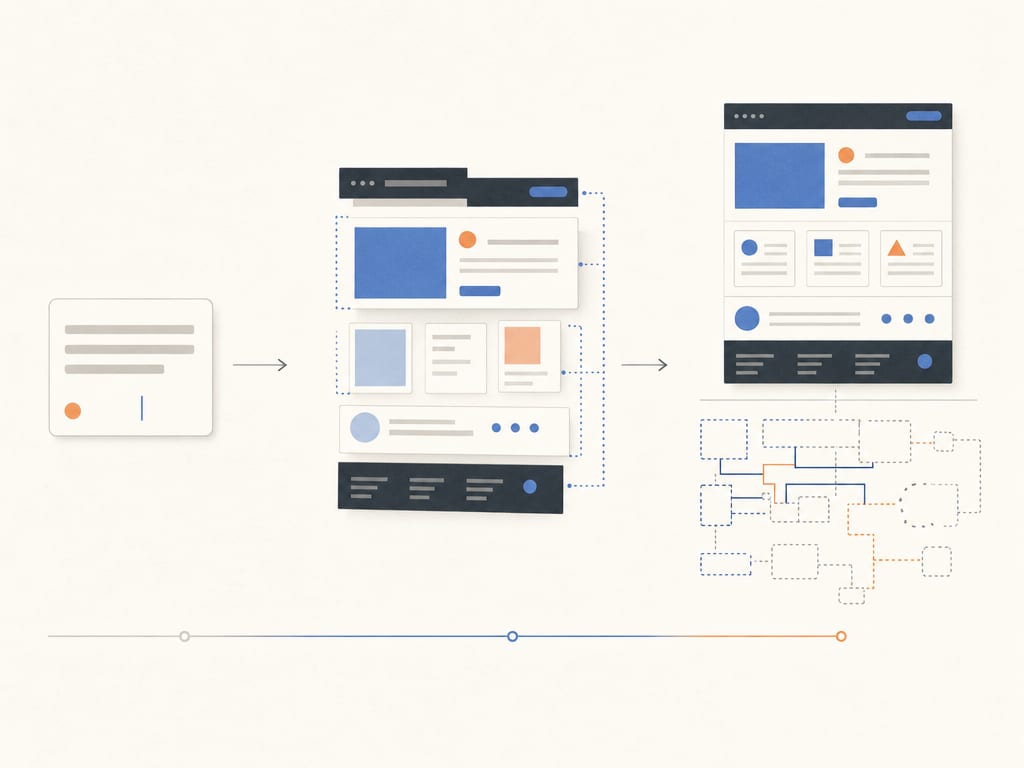
“Describe your idea in one sentence, and AI will build a complete website in minutes.” In 2026, almost everyone considering a new website has encountered that pitch.
I use AI every day, so I have no reason to downplay what it can do. That is precisely why the honest question matters: When does building your own website with AI genuinely work? And when does the shortcut eventually cost more than it saves?
The short answer: AI is excellent for tests and prototypes. For a business website tied to customer data, visibility, and reputation, a convincing preview is nowhere near a finished product.
What These AI Tools Really Are in 2026
The label “AI website builder” covers two quite different kinds of tools.
No-code AI builders such as Wix AI, Framer AI, and Webflow AI generate pages, copy, and layouts. You then refine the result in a visual editor. This works well for manageable marketing sites, portfolios, and landing pages. However, you remain within the features, hosting, and constraints of that platform. I have examined a no-code builder like Webflow in more detail here.
AI code generators such as Lovable, v0, and Bolt go further. They generate actual code from a description and can produce entire applications with a database, login, or business logic. This is often called “vibe coding”: you describe what the software should do in natural language and let AI build it without personally making every technical decision.
The distinction matters. A visual builder mainly helps with layout and content. A code generator can create real functionality. That also increases the attack surface, technical dependencies, and responsibility.
Where AI-Built Websites Genuinely Excel
The speed is not a marketing invention. With a good prompt, you can test something in an afternoon that once required a design, technical setup, and several rounds of coordination.
It is particularly useful for:
- a clickable prototype for a new offer
- a temporary campaign landing page
- an internal tool with a limited group of users
- a personal website or hobby project
- validating an idea before committing a larger budget
Perfection is often not the goal in these cases. You want to learn whether people respond to an offer, understand a flow, or find an idea useful in practice. A quick and inexpensive first version is valuable for exactly that.
The visual starting point has improved as well. AI builders now generate reasonable typography, spacing, and responsive layouts. Yet there is still a quality ceiling: the system can combine patterns, but it does not understand your brand or your customers' context. It can quickly deliver a plausible interface. Someone still has to judge whether that interface is distinctive, trustworthy, and appropriate for your offer.
The requirements change as soon as the test becomes a real business website. “It looks good and the button works” is no longer enough.
Problem 1: Functional Code Is Not Automatically Secure
Security issues are especially deceptive because they are usually invisible in the finished interface. A form can submit data while still allowing unauthorized access. A login can work while being easy to bypass.
The SusVibes benchmark examined 200 real development tasks in which security flaws could be introduced. The best-performing tested combination, SWE-Agent with Claude 4 Sonnet, completed 61 percent of the tasks functionally. Only 10.5 percent also met the security requirements. In other words, 82.8 percent of the functional solutions from that combination were insecure. This is not a universal figure for every AI builder and every task. It does show why passing a functional test cannot replace a security review.
The risk becomes even more tangible in applications that are already live. Escape's security team analyzed more than 5,600 publicly accessible apps built with vibe-coding platforms. It found 2,038 high-impact vulnerabilities across roughly 1,400 apps, more than 400 exposed secrets, and 175 instances of exposed personally identifiable information.
An exposed “secret” might be an API key or access token that lets someone else enter a service. A PII leak means that personal information such as email addresses, phone numbers, bank details, or medical records is accessible.
The Vibe Security Radar at Georgia Tech shows the same trend from another angle. By April 2026, the project had confirmed 74 vulnerabilities attributable to AI tools through code history and metadata, including authentication bypasses and command injection. Because removed metadata cannot be detected, that number is closer to a lower bound than a complete inventory.
For a company, an invisible defect can become a data breach, an outage, or a mandatory privacy notification. None of that appears in the polished preview.
Problem 2: Privacy and Accessibility Do Not Happen Automatically
An AI builder does not know your company. It does not know which data your form genuinely needs, where analytics or marketing services process that data, or which consent is required. A cookie banner in the layout is not the same as compliant consent management. A generated legal notice is not reliable legal review.
The same applies to accessibility. Since June 2025, Germany's Accessibility Strengthening Act, the BFSG, has required certain companies and digital services to meet accessibility standards. Even where the law does not apply, clear forms, sufficient contrast, meaningful alternative text, semantic headings, and keyboard operation are basic characteristics of a good website.
AI can suggest alt text or help identify individual issues. It does not reliably test an entire journey with a keyboard and screen reader. Generated dialogs, menus, and forms often look correct while remaining technically difficult or impossible to use. I explain what accessibility means in practice and who is affected in a separate practical guide.
Privacy and accessibility have one thing in common: defects are almost invisible in a preview. After launch, they are expensive to correct.
Problem 3: What Happens After “Done”?
The first draft is not the end of a website project. It is the beginning of operations.
With an AI builder, you should clarify who owns the content and code, whether you can export them, and what happens if the platform changes its pricing or shuts down. Generated code creates a different question: Can anyone understand, test, and extend the result?
Dependencies receive updates. Browsers change their behavior. APIs are replaced. Forms attract spam. Content grows, new languages are added, and a landing page suddenly becomes a small sales process. If nobody understands the technical foundation, every change becomes an experiment.
This is where the familiar 90/10 reality appears: the first 90 percent is created in an afternoon. The final 10 percent can take weeks. Unfortunately, that last part contains the business-critical details: error states, mobile edge cases, redirects, consent, performance, SEO, access control, backups, monitoring, and handover.
The apparent €500 shortcut can therefore become expensive. Cleaning up an unfamiliar and inconsistent codebase to make it secure and maintainable is often harder than building a sound foundation. You can find realistic ranges in my guide to what a professionally built business website actually costs.
How I Use AI Myself — and Why That Is Different
I also use AI to generate code. The difference is not the tool. It is the responsibility and process around it.
Before the first component is generated, I decide on architecture, content models, components, and interfaces. During implementation, types, tests, builds, and reviews check the result. Security, privacy, performance, and accessibility are requirements of the system, not tasks postponed until after launch.
The more accurate description is therefore not: “AI builds the website.” A developer builds the website and uses AI to work faster.
AI is particularly strong at repetitive tasks: implementing similar components, adding types, preparing structured data, creating variants, or drafting translations. The saved time goes into the parts that require judgment. I show what this AI workflow looks like in practice through a real client project.
What matters is that the result is not a chat history but an understandable system. That includes code ownership, a maintainable CMS, documented data structures, and a reproducible build. My guide to a maintainable professional setup with Kirby CMS and Nuxt shows one way to achieve that.
AI removes the boring parts of my work, not the thinking.
The Honest Decision Guide: Which Route Fits?
Use an AI builder yourself if:
- you want to test an idea as quickly as possible
- the landing page is only needed for a short campaign
- the tool is internal and uses non-sensitive data
- it is a personal or experimental project
- you accept that the first version may later be replaced
Bring in professional support if:
- the website represents your company and brand
- it handles leads, applications, bookings, or customer data
- privacy or accessibility must be implemented reliably
- visibility, performance, and conversion matter commercially
- content and functionality need to grow over several years
- you need a dependable contact for maintenance and operations
There is no barrier between the two routes. A sensible middle ground can be to build a prototype with AI yourself and have it reviewed or rebuilt properly before production. The important part is not to confuse the prototype with the finished product.
Conclusion
Building your own website with AI is not a question of belief. It is a question of purpose. For a quick test, prototype, or temporary landing page, the technology is excellent. Use it.
For a website tied to your business, customer data, and reputation, the shortcut can become expensive very quickly. Not because AI always produces bad code or bad design, but because the visible interface is only a small part of a dependable website.
I use AI every day and would not want to work without it. But I would not hand responsibility for architecture, security, and operations to a prompt. What does your website need to be: a quick test or a long-term foundation for your business?
Send me a short description of what you want to build. A brief conversation is often enough to assess honestly whether an AI builder is sufficient, a technical review makes sense, or a professional foundation will cost less.
mail@eugen.workThis article was drafted and translated with AI assistance.