BFSG 2026: Is Your Website Compliant?
Germany's BFSG has applied since June 2025. This practical check shows who is affected, what compliance requires, and when to act.
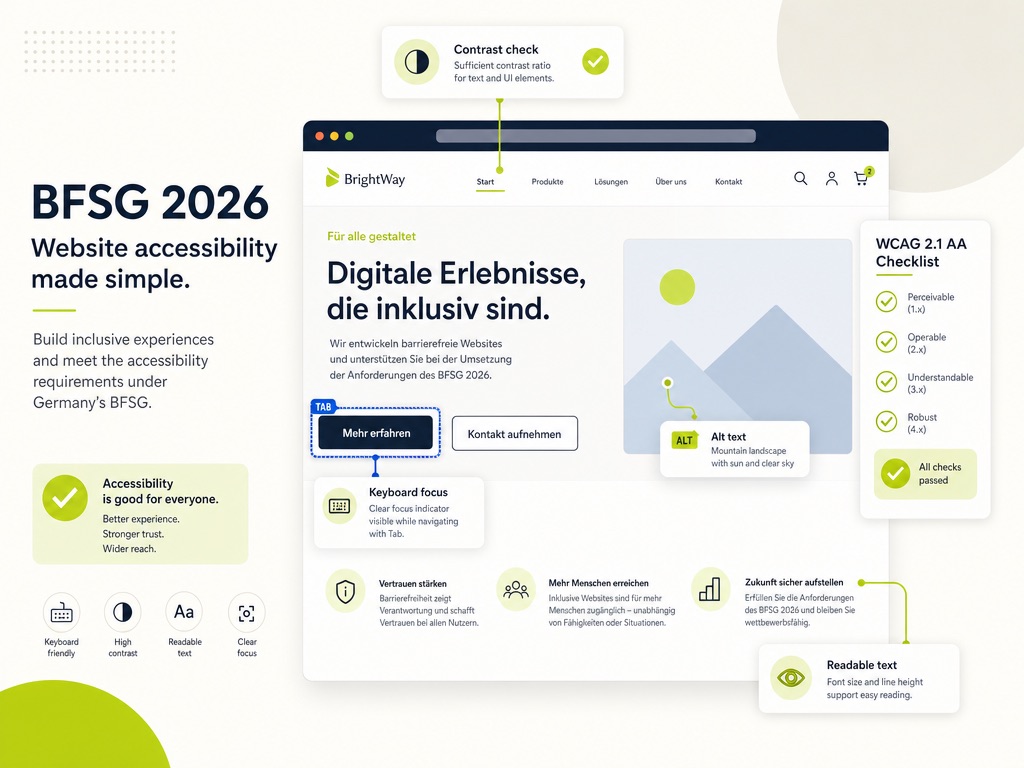
Germany's BFSG has applied since June 28, 2025. For many website operators in 2026, the question is no longer: "Will something happen eventually?" It is: "Is my website BFSG-compliant, or do I have a problem that simply has not been checked yet?"
This article is not legal advice. It is a practical check for decision-makers who want to know whether they are affected, what really needs to be tested, and why a quick plugin is usually not the answer.
One Year of BFSG: What Has Actually Changed
The Barrierefreiheitsstärkungsgesetz, Germany's Accessibility Strengthening Act, transposes the European Accessibility Act into German law. Since June 28, 2025, certain digital products and services must be accessible. For websites, the most relevant area is electronic commerce: online shops, booking systems, contract workflows, banking services, telecommunications, and similar consumer-facing offers.
In practice, WCAG 2.1 AA is the technical reference. That is not a pretty certificate you place on the homepage. It is a set of requirements: content must be perceivable, operable, understandable, and robust.
In 2026, the situation has become more concrete. Market surveillance is no longer a theoretical term, fines of up to 100,000 euros are part of the law, and first BFSG warning letters in e-commerce have been publicly documented by law firms and Trusted Shops legal experts. At the same time, not every detail around private warning letters has been fully settled by courts. For you as an operator, that is not a reason to ignore the topic. It just means: do not panic, but do check properly.
Are You Actually Affected? The Two-Condition Check
Not every website automatically falls under the BFSG. A pure B2B website without an online contract flow is different from a consumer-facing online shop.
A simple two-condition check helps in practice.
| Check | BFSG-relevant if ... |
|---|---|
| Is your offer covered? | consumers can buy, book, or conclude contracts through the website. That includes online shops, appointment booking, customer portals, ticket sales, banking services, and telecommunications services. |
| Does the company threshold apply? | your company has more than 10 employees or more than 2 million euros in annual turnover or balance sheet total. |
| Is your company a micro-enterprise? | you have fewer than 10 employees and no more than 2 million euros in annual turnover or balance sheet total. In that case, the exception may apply. |
The 2030 myth also matters. There are transition rules, but they are narrow. They do not automatically apply to every website that was online before June 2025. For actively maintained websites or running shops, "we still have until 2030" is usually not a reliable strategy.
You can find a more detailed breakdown, including a quick check, on my page about BFSG compliance for websites.
The Four WCAG Principles, Without the Jargon
WCAG can sound like a folder full of standards. At its core, though, it asks four very reasonable questions.
| Principle | The simple question | Practical example |
|---|---|---|
| Perceivable | Can people access the content at all? | Images have meaningful alternative text, text has enough contrast, and videos have captions. When zoomed heavily, the page should not look as if the layout went through a paper shredder. |
| Operable | Does the website work without a mouse? | Open your homepage and press Tab. If you cannot see where you are, a keyboard user cannot see it either. |
| Understandable | Are copy, forms, and error messages clear? | Instead of "Invalid input", a good form says exactly which field is affected and how to fix the issue. |
| Robust | Does the website work with assistive technologies? | Screen readers such as NVDA, JAWS, or VoiceOver need clean HTML, meaningful headings, correct form labels, and understandable status messages. |
In short: accessibility is not just "larger text." It lives in structure, interaction, and technical implementation.
The 5-Minute Practical Check
You cannot prove full BFSG compliance in five minutes. But you can quickly see whether a deeper audit is needed.
Test these four things directly on your own website:
- Keyboard: Open the homepage, put the mouse aside, and press Tab. Can you move through navigation, buttons, forms, and important links? Can you always see which element currently has focus?
- Form: Leave a required field empty and submit it. Is the error message understandable? Is it clear which field is affected? Can you fix the issue without using the mouse?
- Zoom: Increase zoom to 200 or 400 percent. Do contents remain readable? Do buttons, text, or cookie banners overlap? Do you need to scroll horizontally?
- Images and buttons: Do informative images have meaningful alternative text? Does an icon-only button have an accessible name? Does a link say more than just "click here"?
This is only a starting point. Automated scans find roughly a third of typical issues. The rest requires manual review: keyboard use, screen readers, real user flows, and clear language. That is why I built my free BFSG quick check, which gives you a first technical assessment within seconds.
The Overlay Myth: Why the Quick Plugin Is Not Enough
Many companies look for a shortcut. An accessibility overlay promises exactly that: add a script, show a button, done.
Unfortunately, accessibility does not work that way.
Overlays can change contrast, adjust font sizes, or add helper menus. But they do not fix broken HTML structure, missing form labels, illogical tab order, or badly built dialogs. In some cases, these tools even make life harder for screen reader users because they insert themselves between the user and the website.
The problem is not that every overlay is evil. The problem is the promise. If your website is not technically accessible, a helper menu does not turn it into a WCAG-compliant website. It is more like putting a bandage on a leaking pipe. It looks like action, but the leak is still there.
What Implementation Costs and How to Time It
Costs depend heavily on scope. A small website with a few templates is faster to audit and fix than a large shop with checkout, customer accounts, filters, forms, and multiple languages.
As a benchmark: a full BFSG audit with technical implementation starts at around 1,500 euros in my experience. A free quick check can show obvious technical issues first. For a reliable assessment, though, manual review is always needed afterward.
If a relaunch is already planned, the best time is now. Retrofitting accessibility into a finished project is usually more expensive than planning it from the start. Heading structure, components, forms, focus states, colors, and CMS fields can all be designed properly when accessibility is part of the architecture.
I broke down general website budgets in How Much Does a Business Website Cost in 2026?. And if you are planning a relaunch anyway, accessibility belongs in the same planning round as SEO, redirects, and content migration. More on that in Website Relaunch Without Losing SEO.
The system you use does not change your responsibility much. WordPress, Shopify, Webflow, Kirby, or custom code: what matters is not the logo in the backend. What matters is whether the actual offer can be used accessibly.
What Happens If You Do Nothing
The obvious risk is fines. The BFSG allows fines of up to 100,000 euros. Market surveillance authorities can also order corrective measures and, in serious cases, restrict an offer.
Then there is the warning-letter risk. First BFSG warning letters have been documented since 2025. Not every letter is automatically justified, and you should get legal advice before signing anything. But as a business strategy, "maybe nobody will notice" puts you on thin ice.
The better reason for accessibility is not the penalty. It is reach. People with disabilities, older users, people with temporary impairments, smartphone users, users on poor connections: they all benefit from clear structure, readable contrast, understandable forms, and stable interaction.
Accessibility is not only compliance. It is good UX with legal backing.
Conclusion
One year after the BFSG came into force, it is no longer a future topic. If your website enables contracts, purchases, or bookings for consumers and your company is above the micro-enterprise threshold, you should have it checked.
The next fixed website deadline concerns EU AI Act labelling rules from 2 August 2026. The same principle applies: not every website is affected in the same way, but a blanket assumption that all relevant deadlines moved is incorrect.
The first step does not have to be a large project. A short practical check often shows quickly whether there is urgent work to do. If you want to know where your website stands, start with the free BFSG quick check and then decide whether a full audit makes sense.
Start with the free BFSG quick check. It does not replace a full audit, but it quickly shows whether obvious barriers exist and whether a closer look is worthwhile.
mail@eugen.workThis article was drafted and translated with AI assistance.